One platform, every side of the table
Fidera is where health systems, recruiting agencies, and clinicians meet, and where the whole placement happens. A health system posts a role and approves the agencies allowed to work it. Each approved agency submits an AI-ranked shortlist from its own private portfolio. The health system selects, the agency closes the deal with a contract on each side, and the clinician signs, logs hours, and gets paid, all in one place. No open directory, no cold search, no spreadsheets. This page walks through it, seat by seat.
We set up a live demo account for you on request.
Rooted in good faith
“Fidera” grows from the Latin fides: good faith, the bond you can rely on. It is the root the whole thing grows from, and every placement touches three things that grow from it: a clinician's career, the community that connects them, and the care a patient receives. Fidera's job is to put all three on one verified record, so no side has to lose for the others to win.
Relationships and postings drive every match
The health system is the customer, and it works with a roster of recruiting agencies it has approved. Nothing is exposed through a global search. A clinician reaches a health system only when an approved agency deliberately submits them for a specific posting. That single rule, no open directory, is what keeps the matches relevant and the relationships intact.
1
The health system posts and approves
It posts a role with the number of openings to fill, then approves the agencies allowed to work it. The health system can invite agencies, or approve ones that ask to connect. Either way, it decides.
2
Approved agencies submit a shortlist
Each approved agency sees the posting, hand-picks clinicians from its own portfolio, ranked by AI against the role, and submits just that curated shortlist. No agency sees another's clinicians.
3
The agency closes the deal both ways
The health system reviews the submissions and selects a clinician per opening. The sourcing agency then runs the contracts, one with the health system, one with the clinician, signed in the app. The opening fills, and the posting closes once every opening is filled.
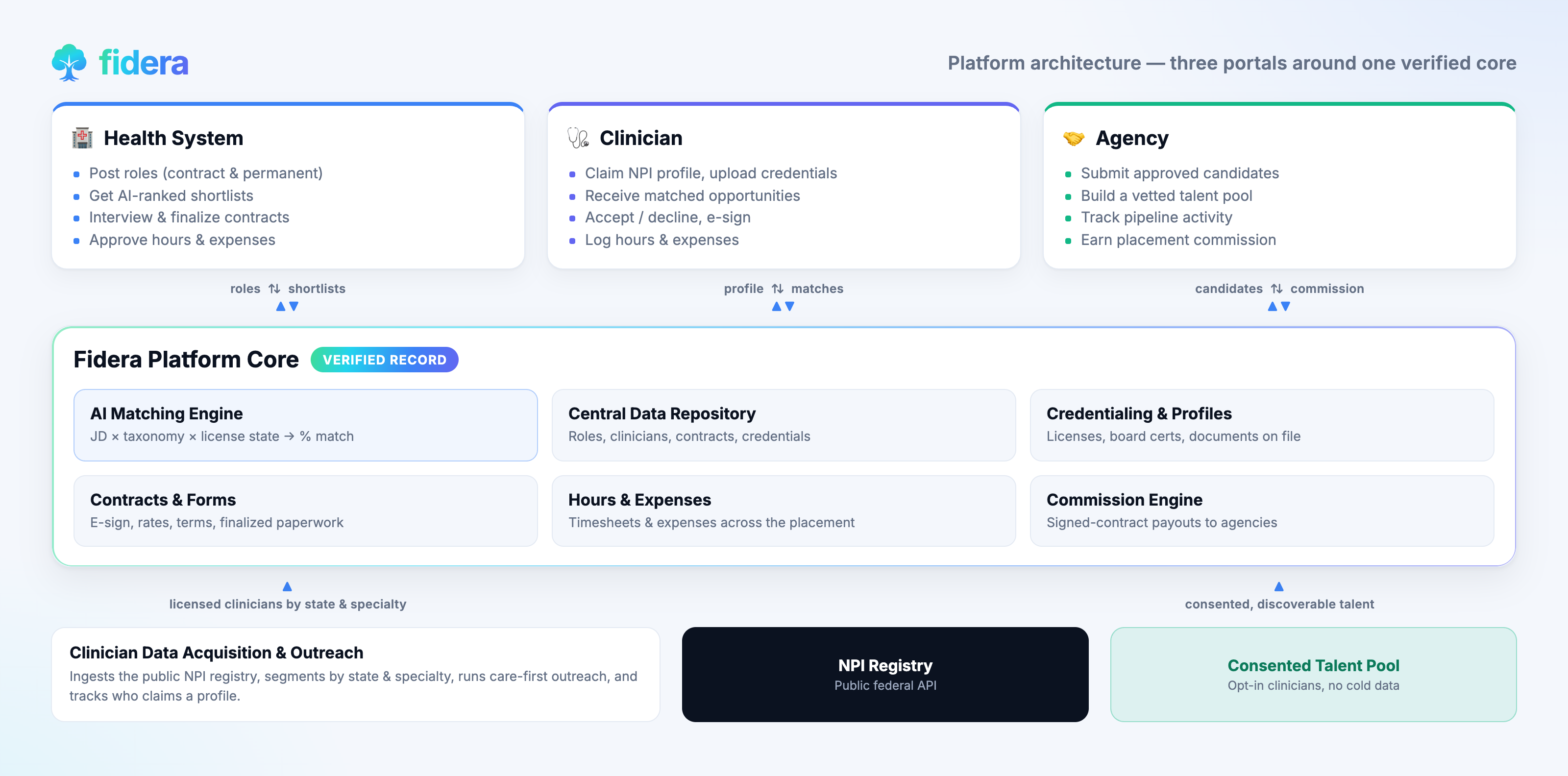
Three portals around a core Fidera operates
A health-system portal, an agency portal, and a clinician portal, all sitting around a shared platform core, the central data repository, the AI matching engine, clinician acquisition, and the engines that close the deal: back-to-back contracts, the weekly hours and expenses relay, and agency earnings. Fidera runs that core; the three sides each work their own seat.
Post a role, approve your agencies, pick from their best
Each health system gets its own portal. There is no open clinician directory to wade through. You decide which recruiting agencies can work your roles, and every candidate you see was deliberately put in front of you by one of them. The payoff for a hiring manager is simple: a short, curated set of real clinicians per role, never a blank search box.
Step 1
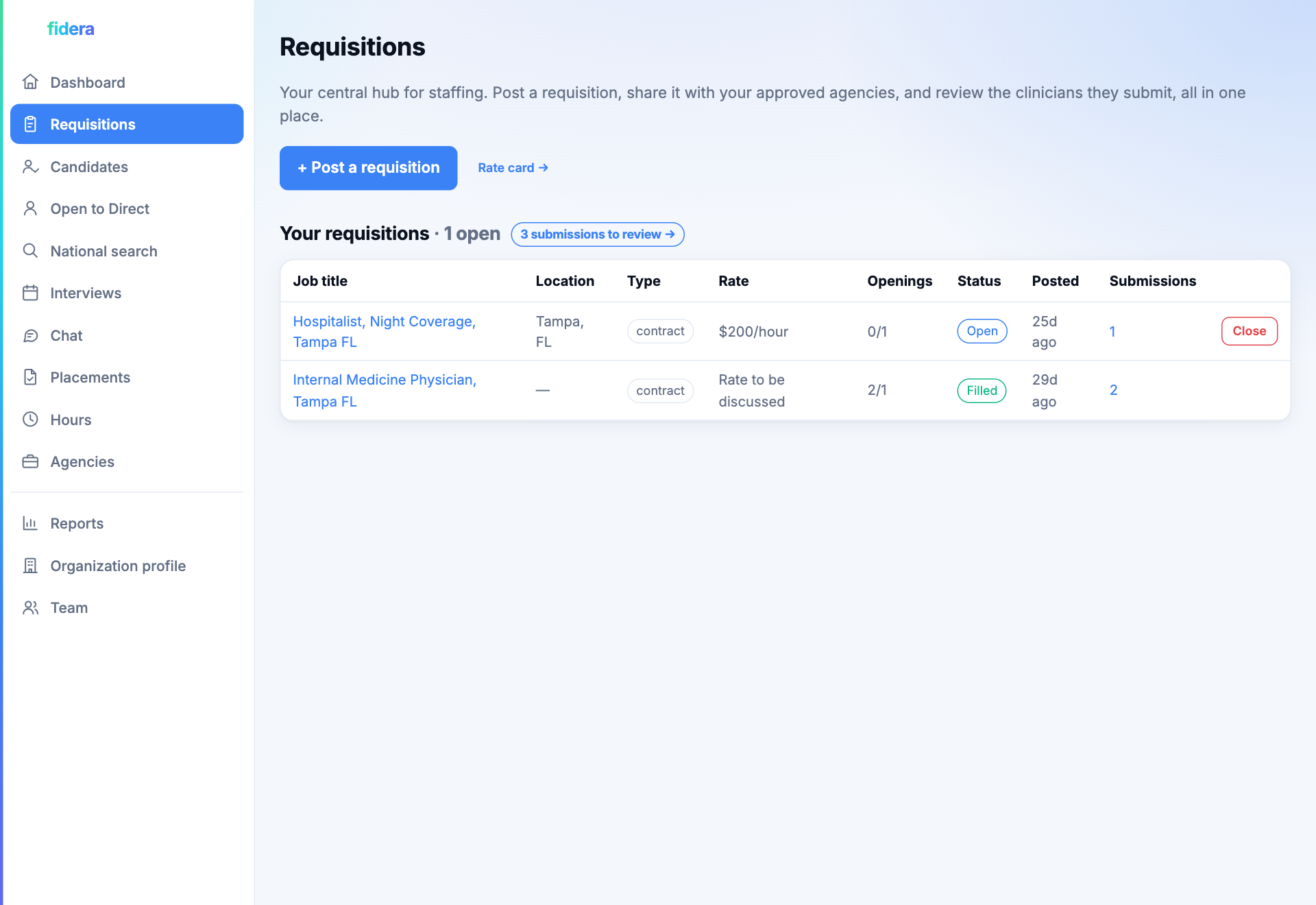
Post a role with as many openings as you need
Post each open position with its rate, location, and the number of openings to fill. The posting is shared with the agencies you have approved, and the dashboard tracks how many clinicians have been submitted and how many openings are still open.
Step 2
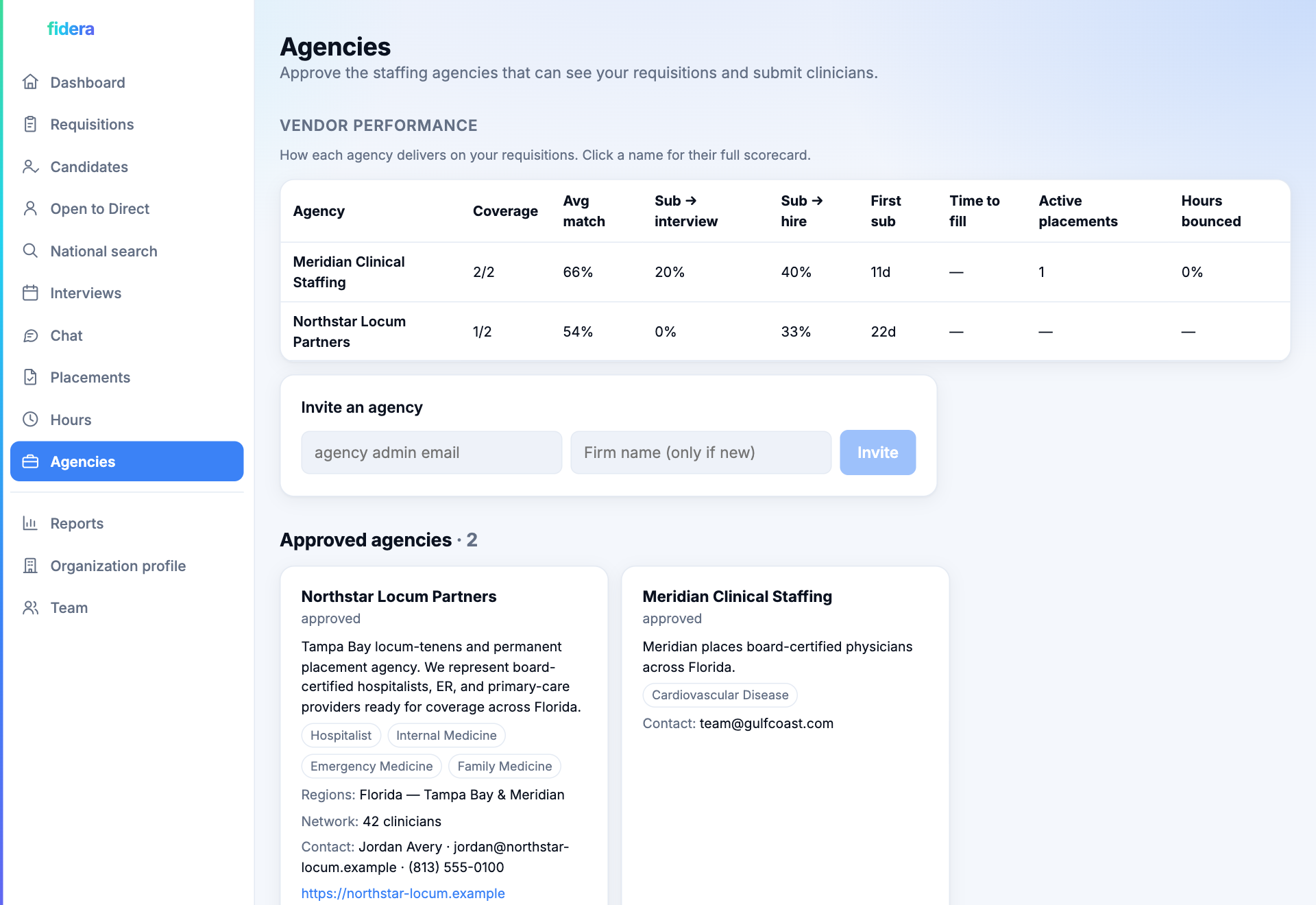
Approve the agencies who can see it
You choose who works your roles. Invite a recruiting agency by email, or approve one that has asked to connect. Only approved agencies can see your postings or submit clinicians, so your roles are never broadcast to the open market.
Step 3
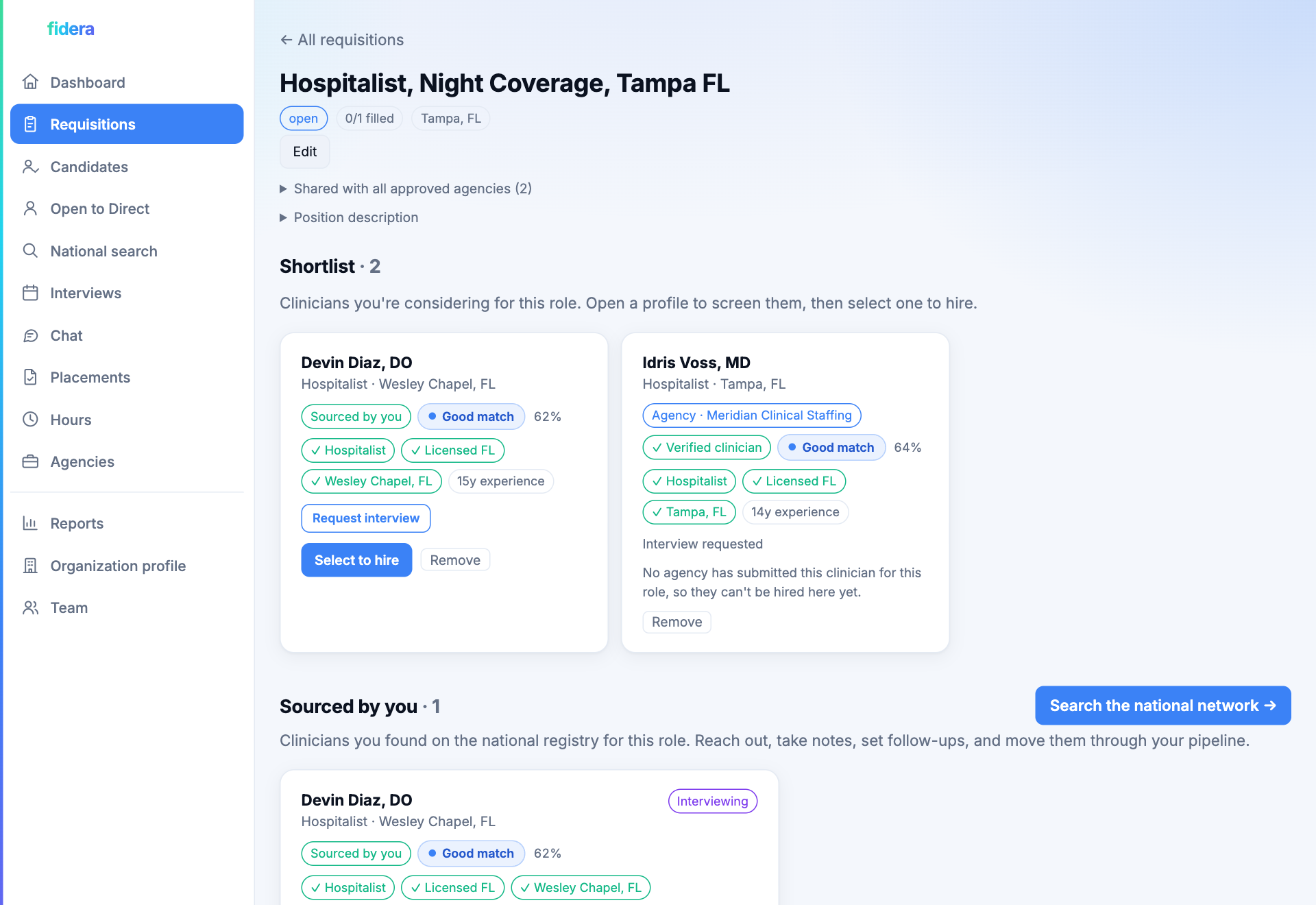
Review submissions by agency, select, and sign
Submitted clinicians arrive grouped and tagged by the agency who put them forward, so you always know the source. Compare the shortlists, then select a clinician to hire. That hands the deal to the agency, who sends you a contract to review and sign right in the app. When the clinician signs theirs, the opening fills and the posting closes once every opening is filled.
Build a real book of clinical talent
The agency side is a working CRM, not a throwaway search. Every clinician carries a rich profile, a relationship history, and a stage on each role you are considering them for. Here is the flow, step by step, and what each part saves you.
Step 1
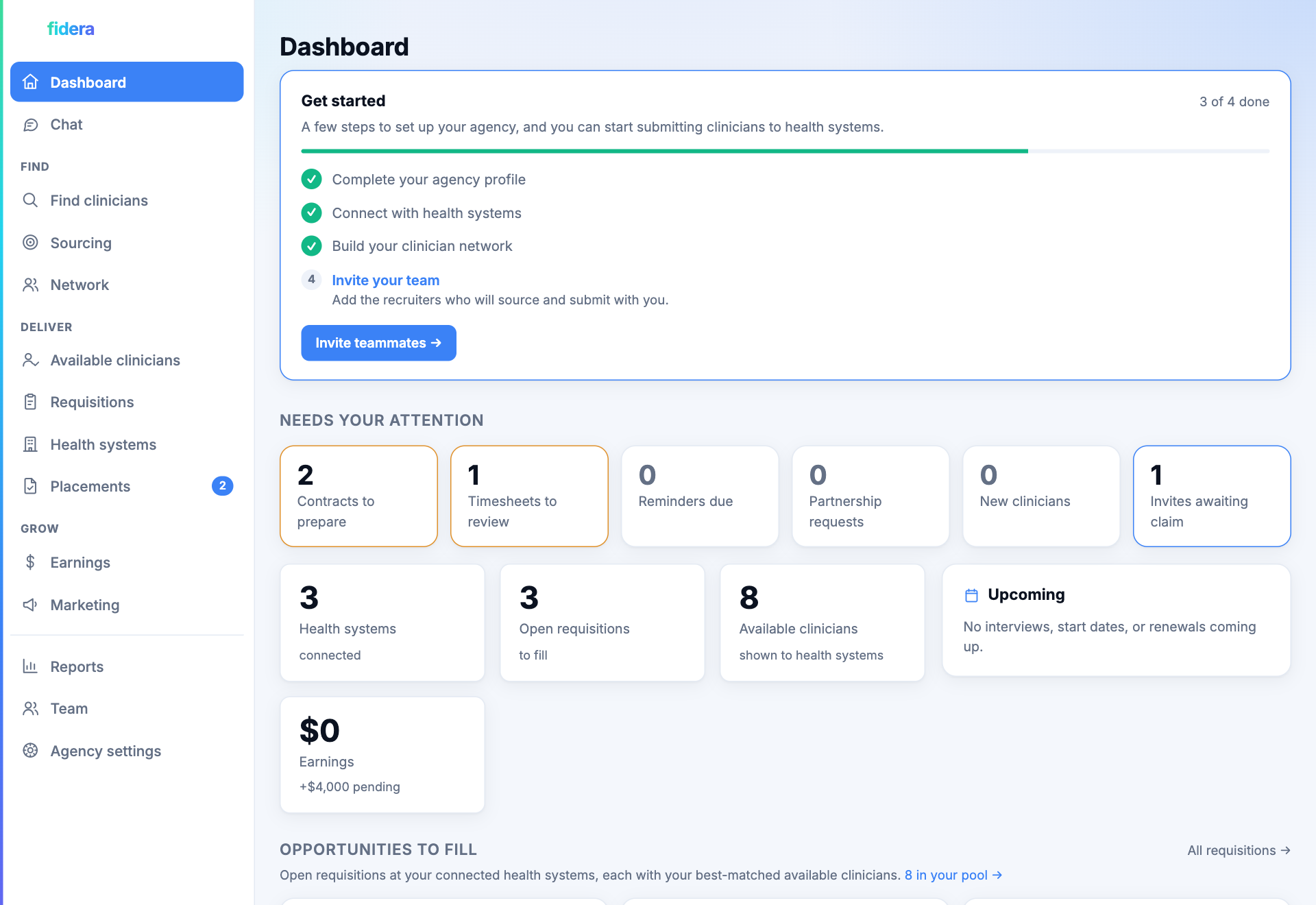
See your whole desk in one view
The dashboard shows your open requisitions, how many clinicians you are tracking, who has been contacted, and a pipeline funnel from first touch to placement. You always know where every search stands without digging through spreadsheets.
Step 2
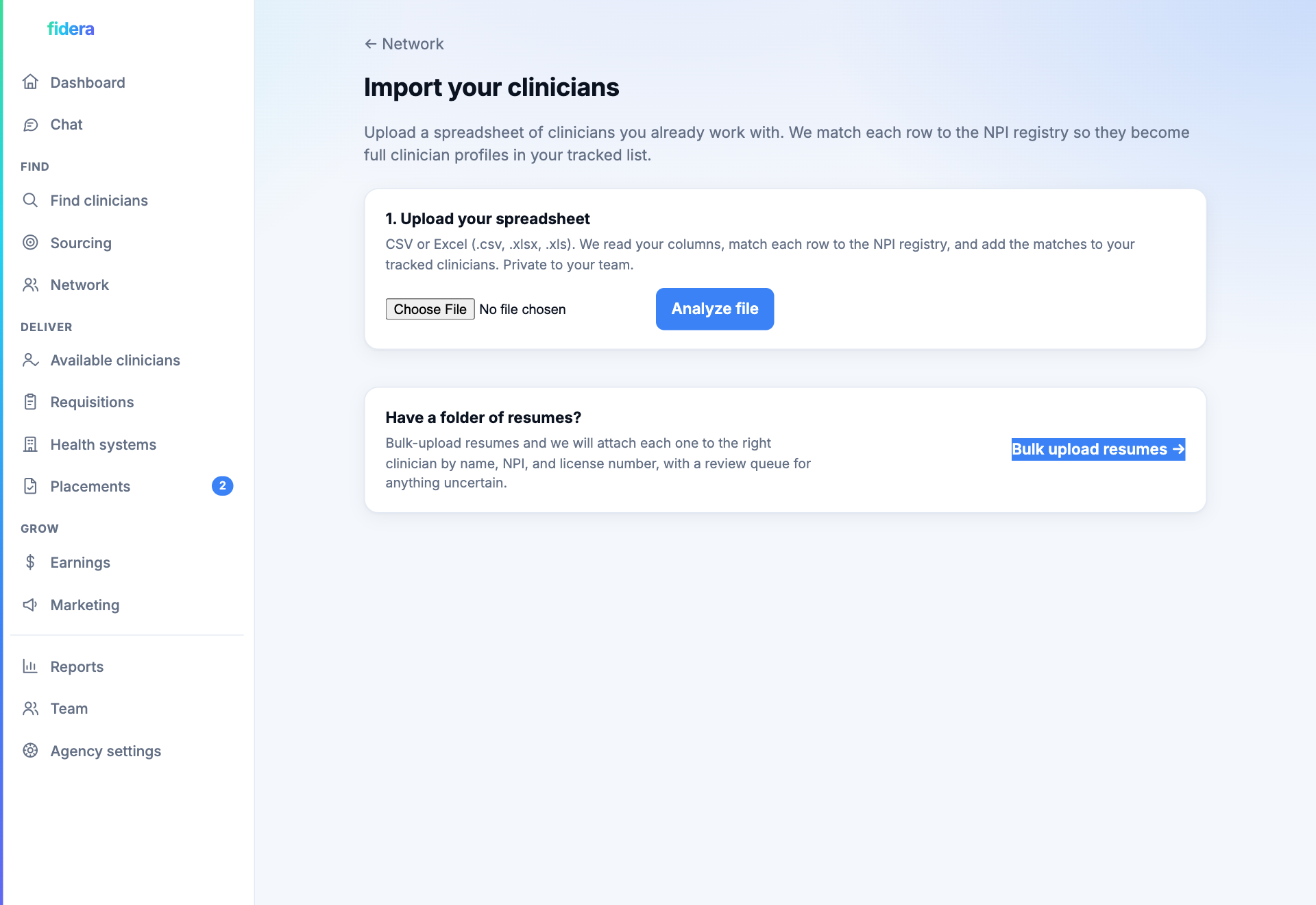
Start with the clinicians you already know
You do not begin from scratch. Upload a spreadsheet of the clinicians you already work with and Fidera matches each row to the national NPI registry, turning a flat list into full, structured profiles. It guesses your columns so you barely have to map anything, and shows you exactly what matched before a single record is saved.
In the same step you can mark everyone as vetted and publish them straight to your portfolio. The relationships you have built over years become a ready portfolio you can submit to health-system postings in minutes, with no re-keying and nothing lost.
Step 3
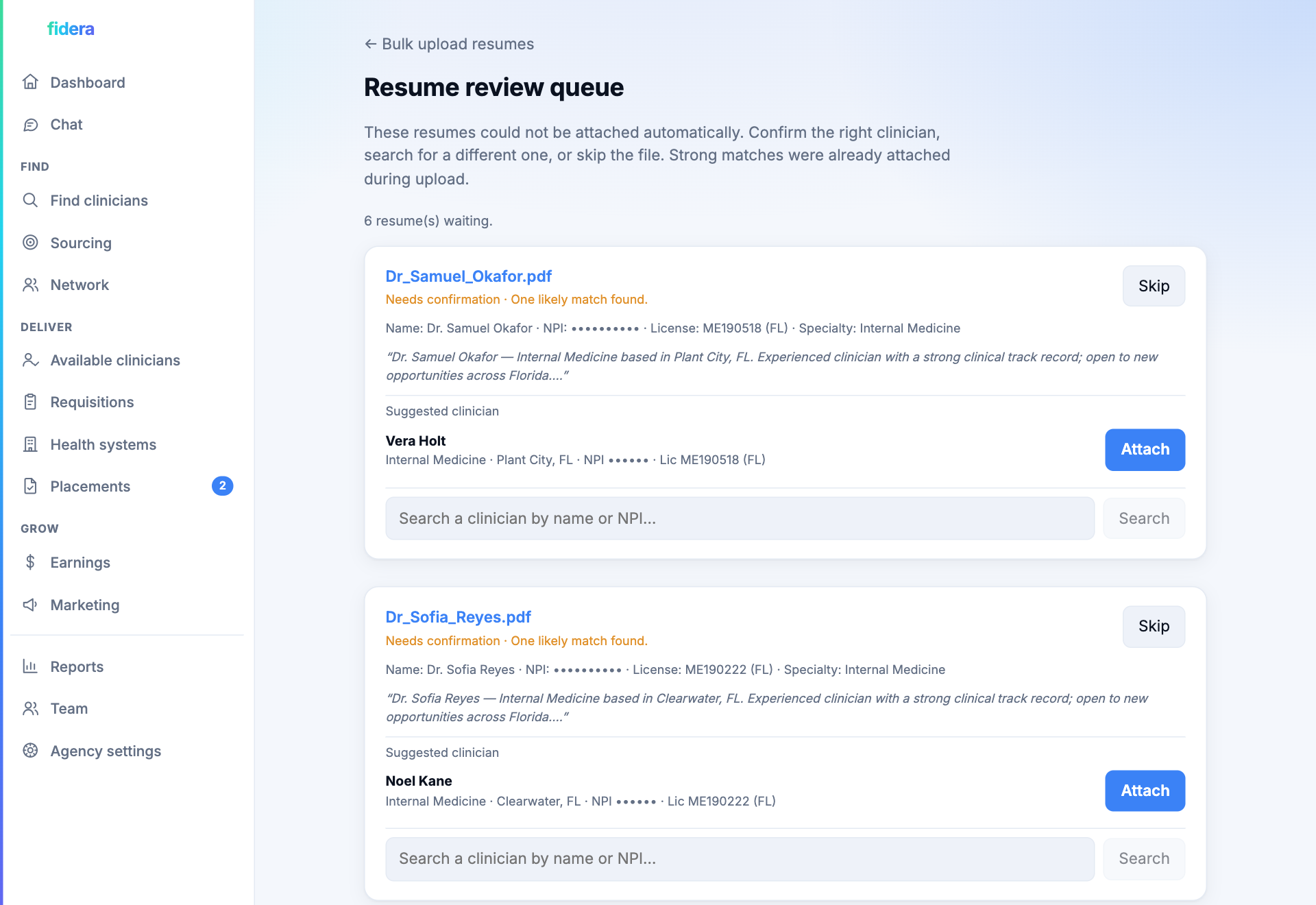
Attach resumes in bulk, matched to the right clinician
Point the app at a folder of resumes and it reads each one, pulls out the name, NPI, and license number, and attaches it to the matching clinician, thousands at a time. Strong matches attach on their own; anything uncertain waits in a review queue where you confirm or reassign it in a click. No more opening files one by one to work out who they belong to.
Step 4
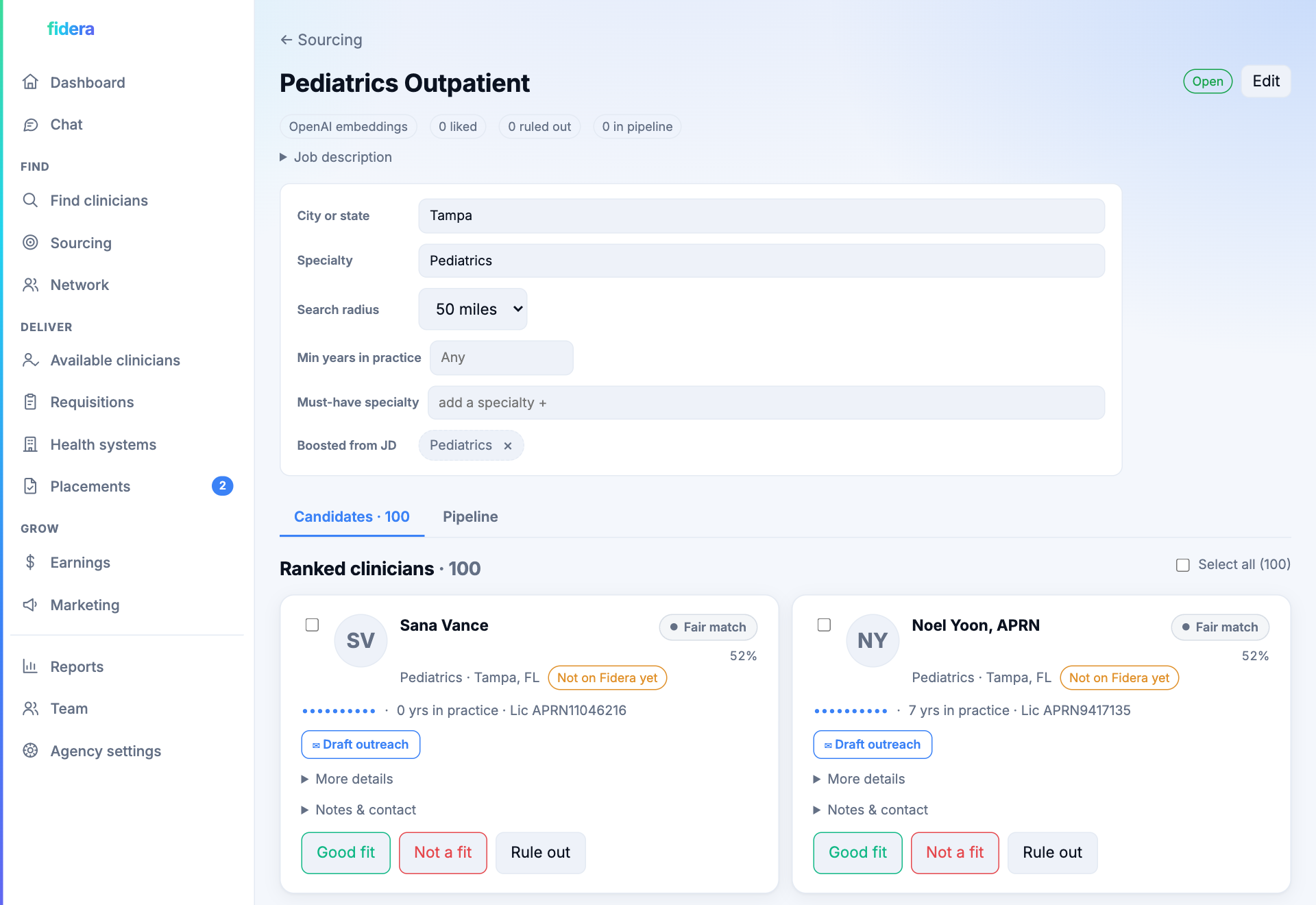
Find new clinicians and rank them for any role
When you need fresh talent, paste a job description and Fidera ranks clinicians by fit, with a match score on every card. Add the strong ones to that role's pipeline, or draft a personalized, web-aware outreach email in one click. The shortlisting that used to take an afternoon takes a minute.
Step 5
Every clinician becomes a rich, verified profile
Fidera enriches each clinician from the open web: their practice, license, a named hiring contact, phone, website, and a written professional summary, each one confidence-scored. The detail you would normally chase across a dozen browser tabs is gathered in a single profile, with a full record of every touch.
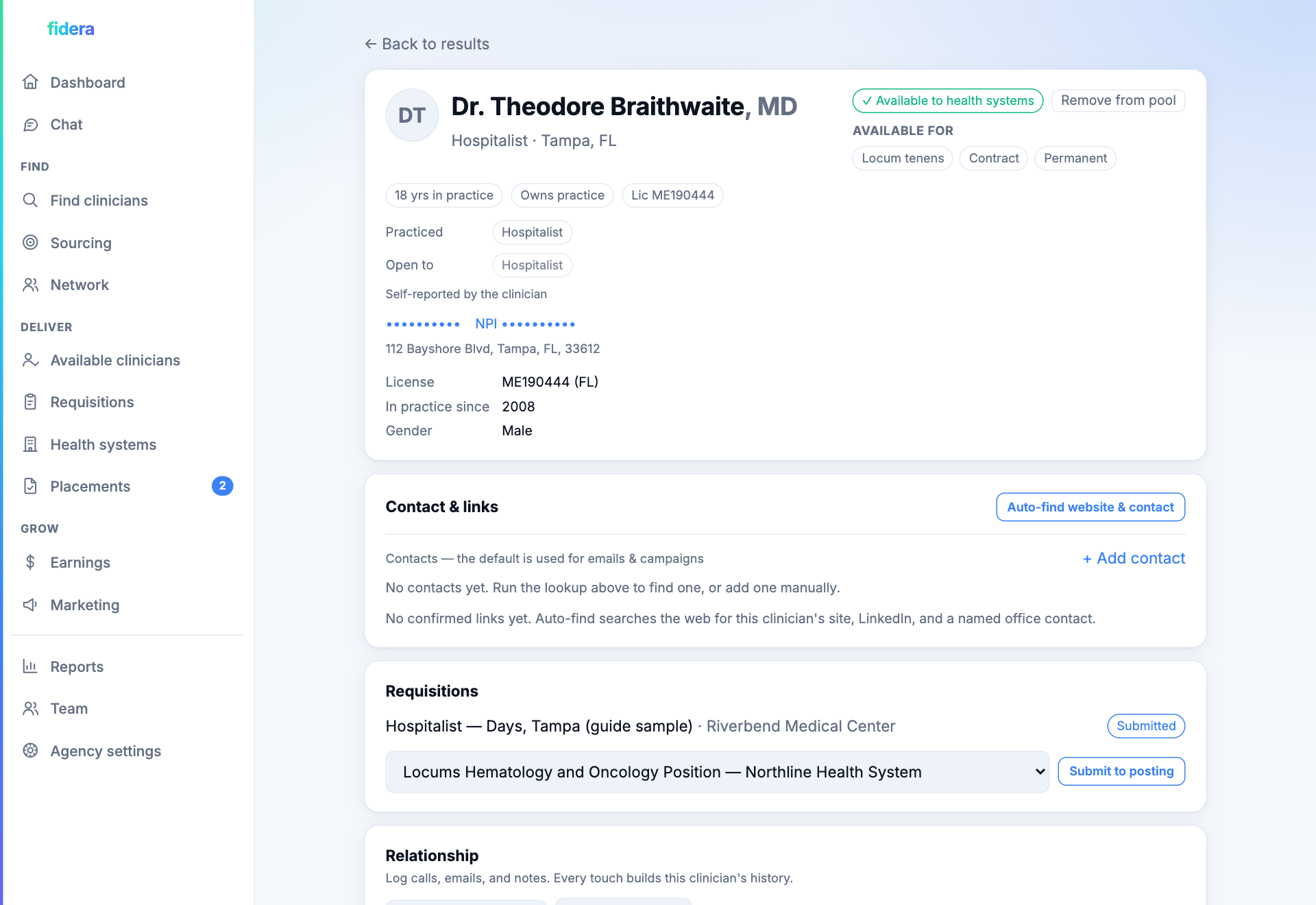
Step 6
Your portfolio is yours alone
Once a clinician confirms interest, publish them to your portfolio with one click, or in bulk at import. This is your private book of available talent. No other agency can see it, and no health system browses it directly. It is the set you draw from when you respond to a posting.
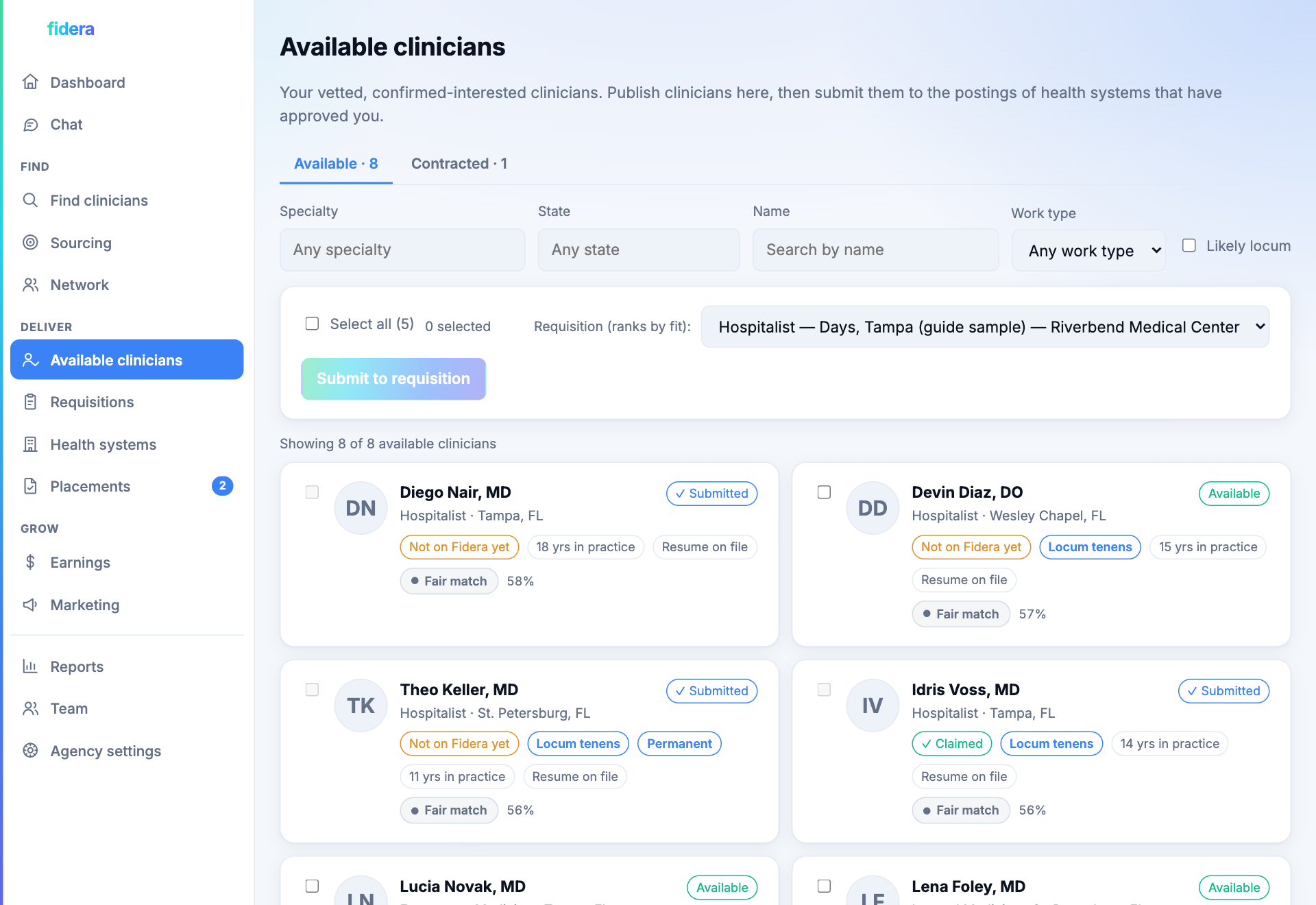
Step 7
See the postings from health systems that approved you
When a health system approves you, its open roles appear in your postings inbox, each tagged with the health system, location, rate, and number of openings. You only ever see roles you have been cleared to work, so there is no noise and no cold guessing.
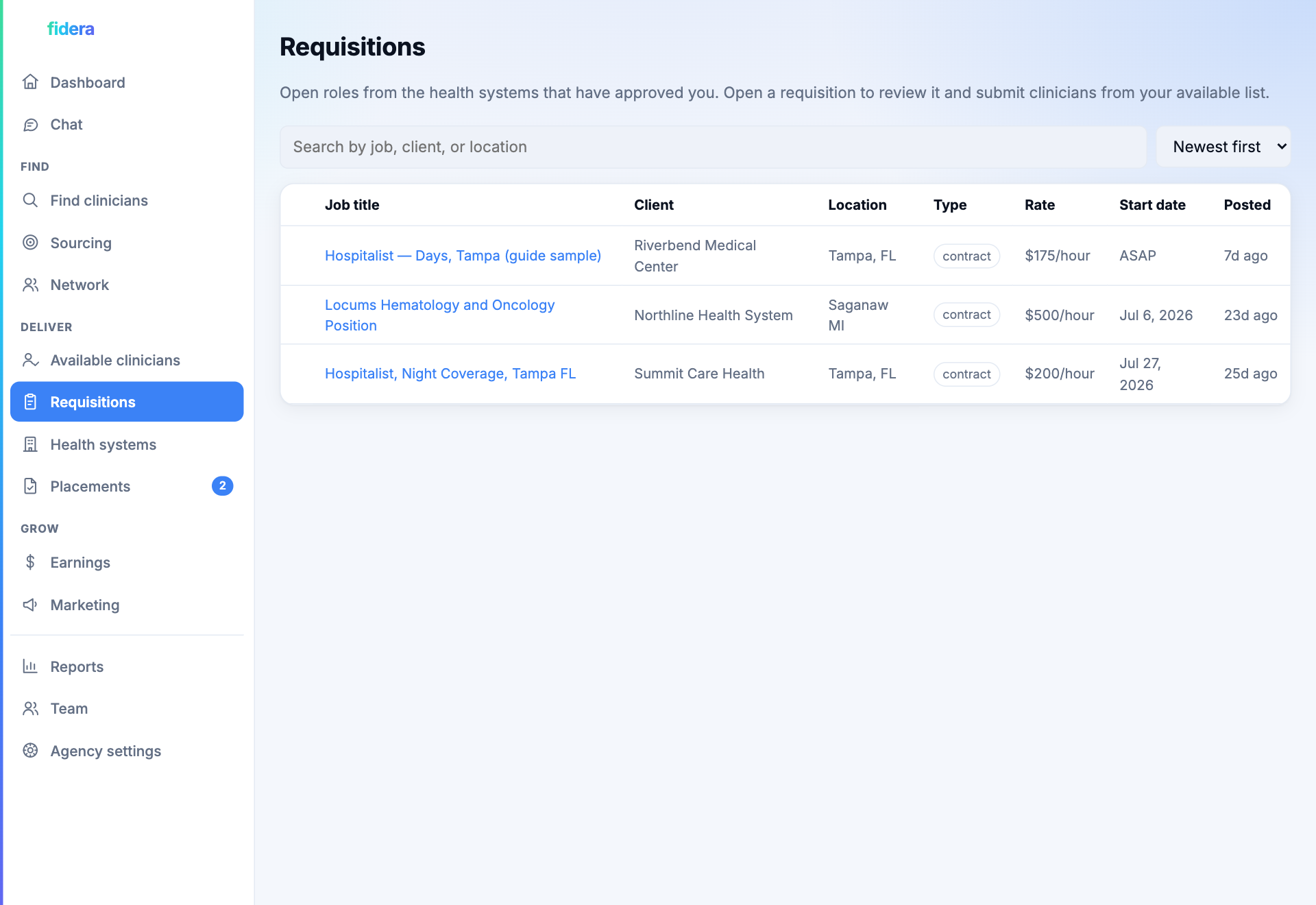
Step 8
Submit a curated, AI-ranked shortlist
Open a posting and Fidera ranks your own portfolio against the role, with a match score on every clinician. Tick the ones you stand behind and submit just that shortlist. Submitting is your acceptance, and it alerts the health system that your candidates are in. You stay in control of who gets put forward, never the whole list.
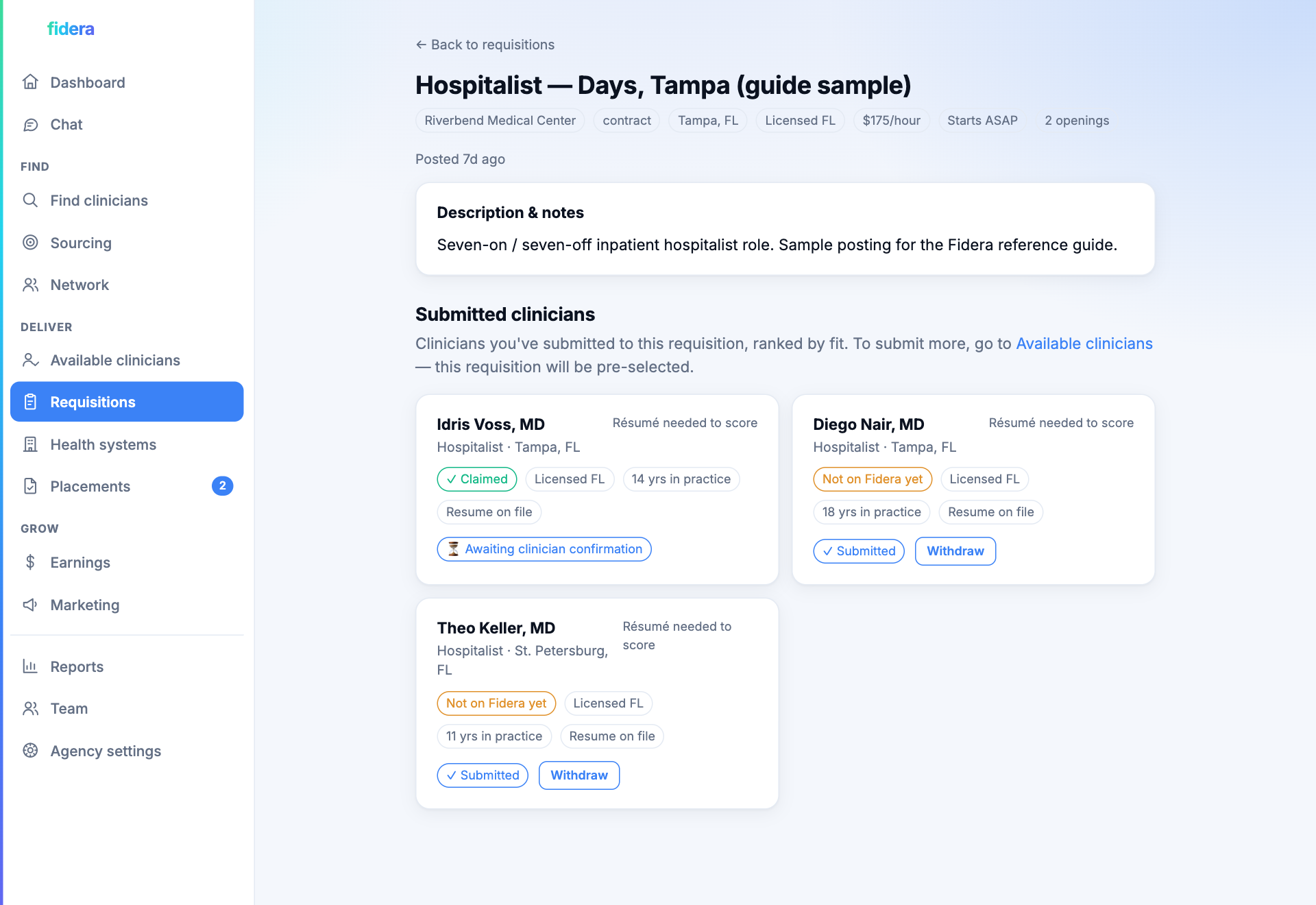
Step 9
Keep the conversation with your clinicians in one place
Chat lists every clinician you are talking to, newest first, with a count of anything unread. The thread is open from the moment a clinician is in your network, so the question every clinician actually asks, what is happening with my CV, has somewhere to land instead of a voicemail. Nothing lives in a personal inbox, so the relationship belongs to the firm rather than to whoever happened to answer.
Your profile, your credentials, your opportunities
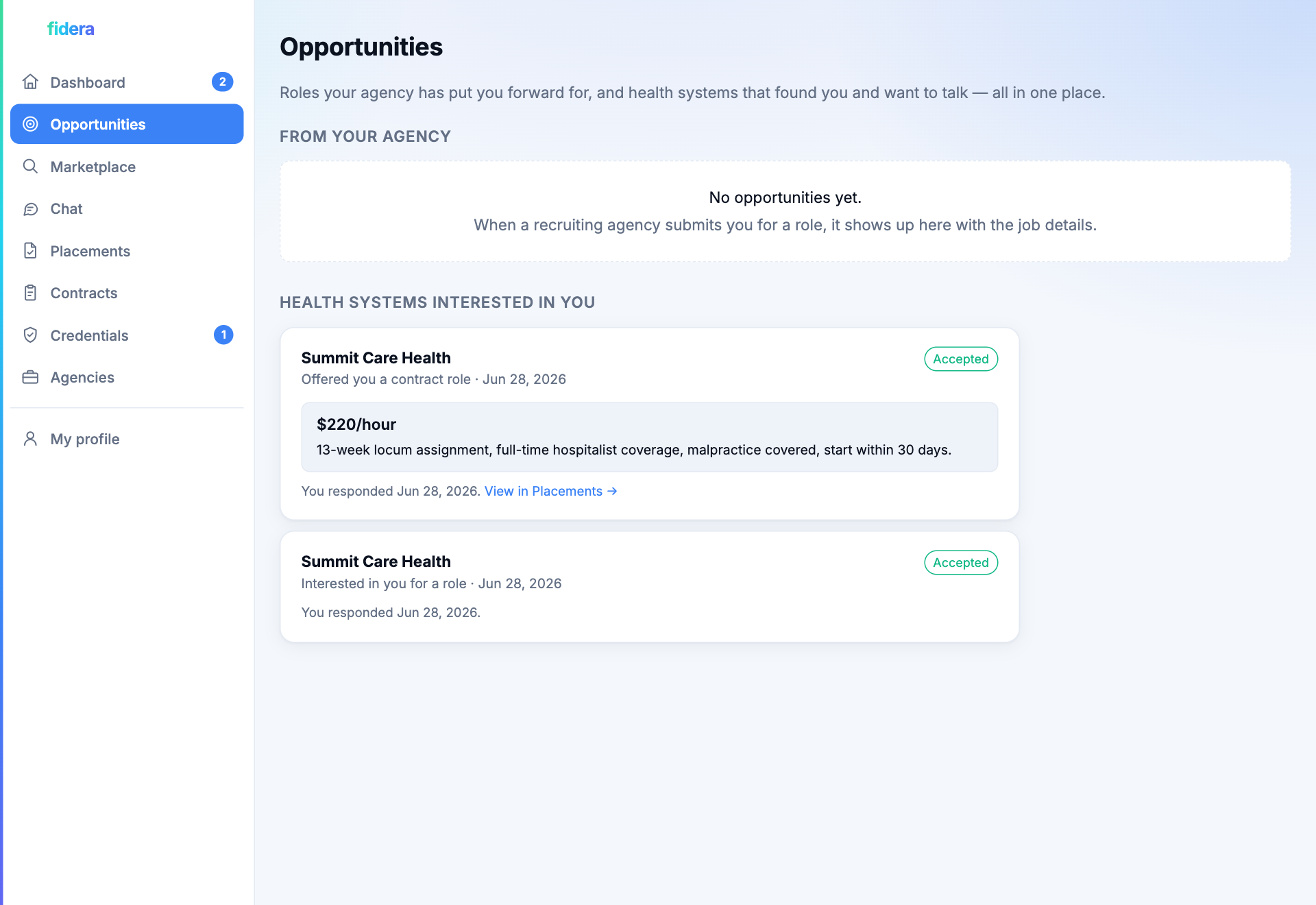
Clinicians are not just rows in someone's database. Each one gets a real portal: claim the profile that was sourced from the NPI registry, make it your own, keep your credentials in one place and carried from one placement to the next, and accept or decline the roles that come to you.
Step 1
Claim your profile and make it yours
Your profile already exists, sourced from the national NPI registry. Claim it with your NPI, then edit your headline and summary, auto-drafted from your CV so you start with real copy instead of a blank box. The facts that come from the registry stay verified; the story is yours to shape.
Step 2
One credential vault, your contract, and weekly hours
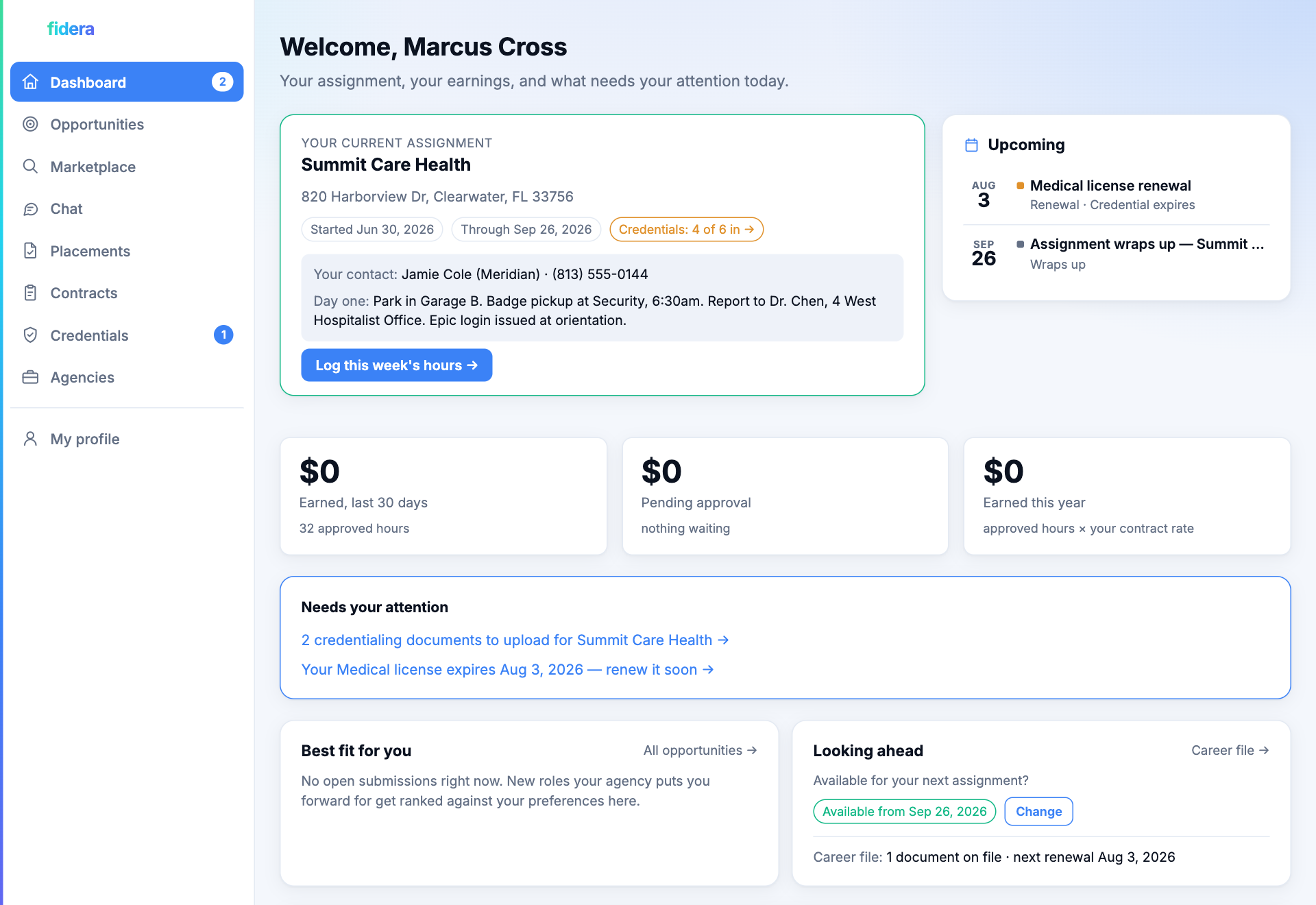
Keep your license, board certifications, and CV in a single credential vault instead of emailing the same PDFs to every recruiter. When you are hired, your agency sends you a contract to sign in the app, showing your pay rate and terms. From there you log your hours each week and submit expenses; your agency reviews them and forwards them to the health system for approval, and you can download your signed contract any time.
Step 3
Understand any contract before you sign it
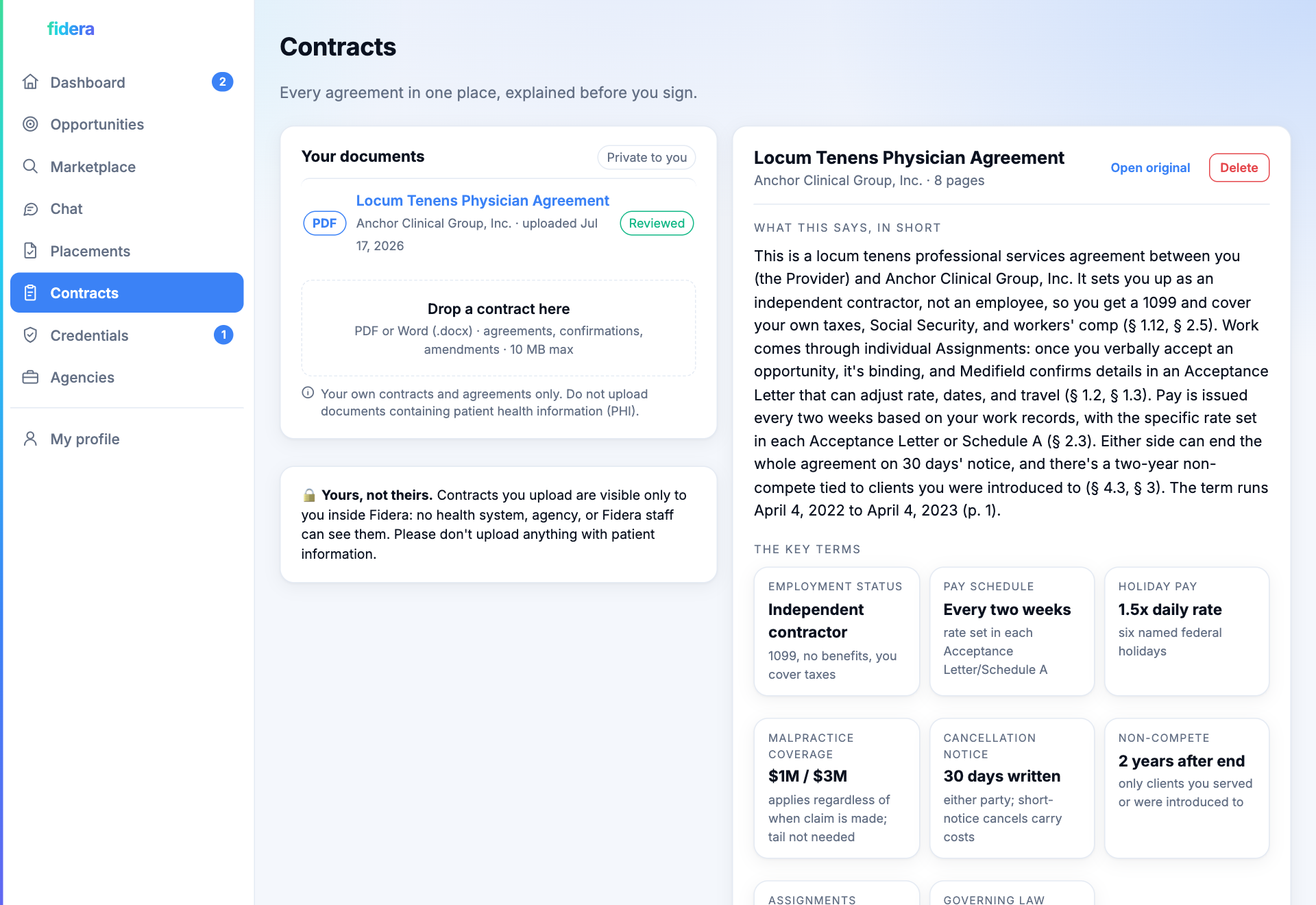
Upload any agreement you are handed, a locum contract, a confirmation letter, an onboarding packet, and get it back in plain English in about a minute. A short summary, the key terms pulled onto cards, and a few calm notes on what is worth a question before you sign, each citing the exact section it comes from. Ask it anything and it answers from the document. What you upload is private to you: no agency or health system ever sees it. Plain-English help, not legal advice.
Step 4
Ask a real person, and know who you are asking
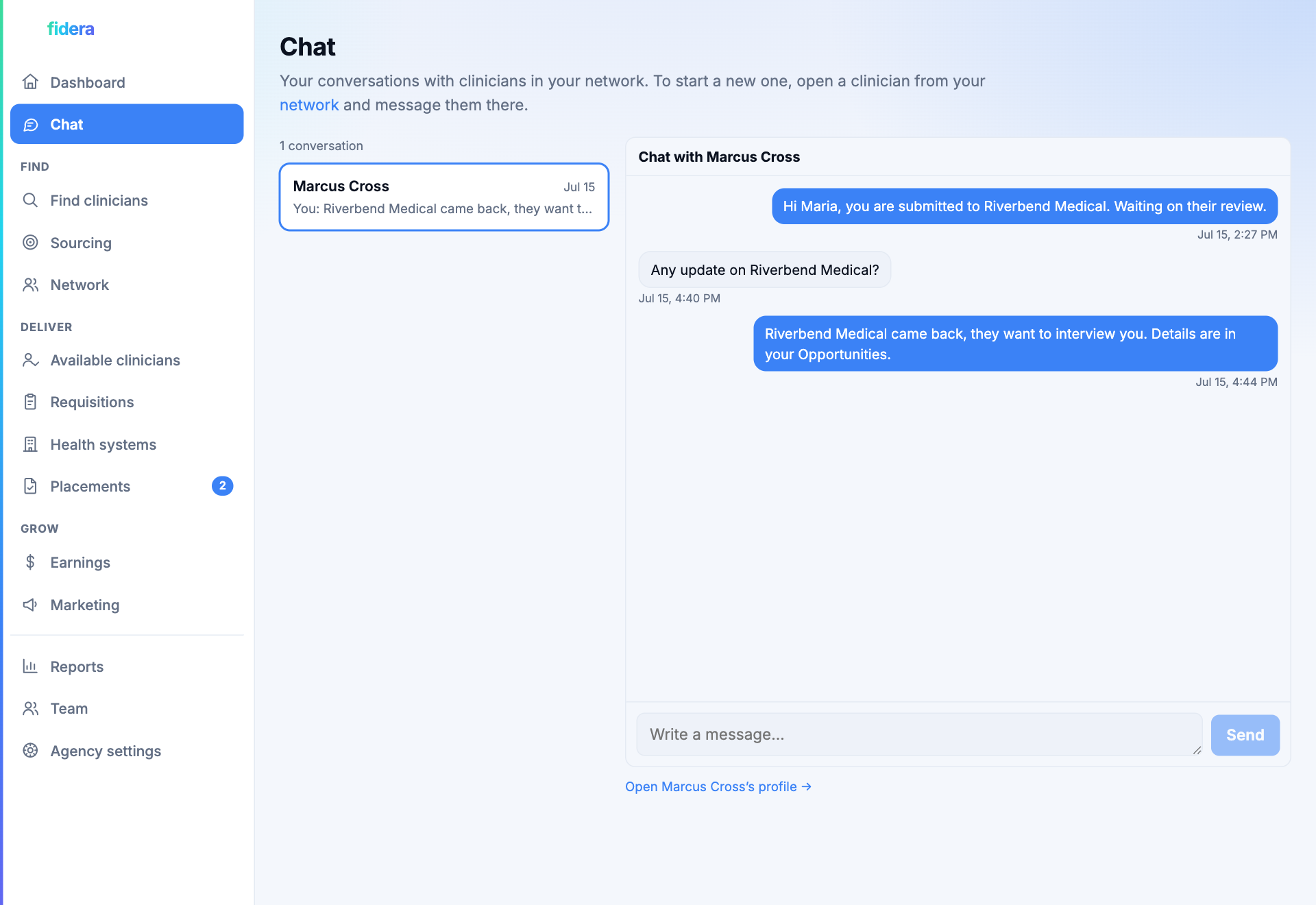
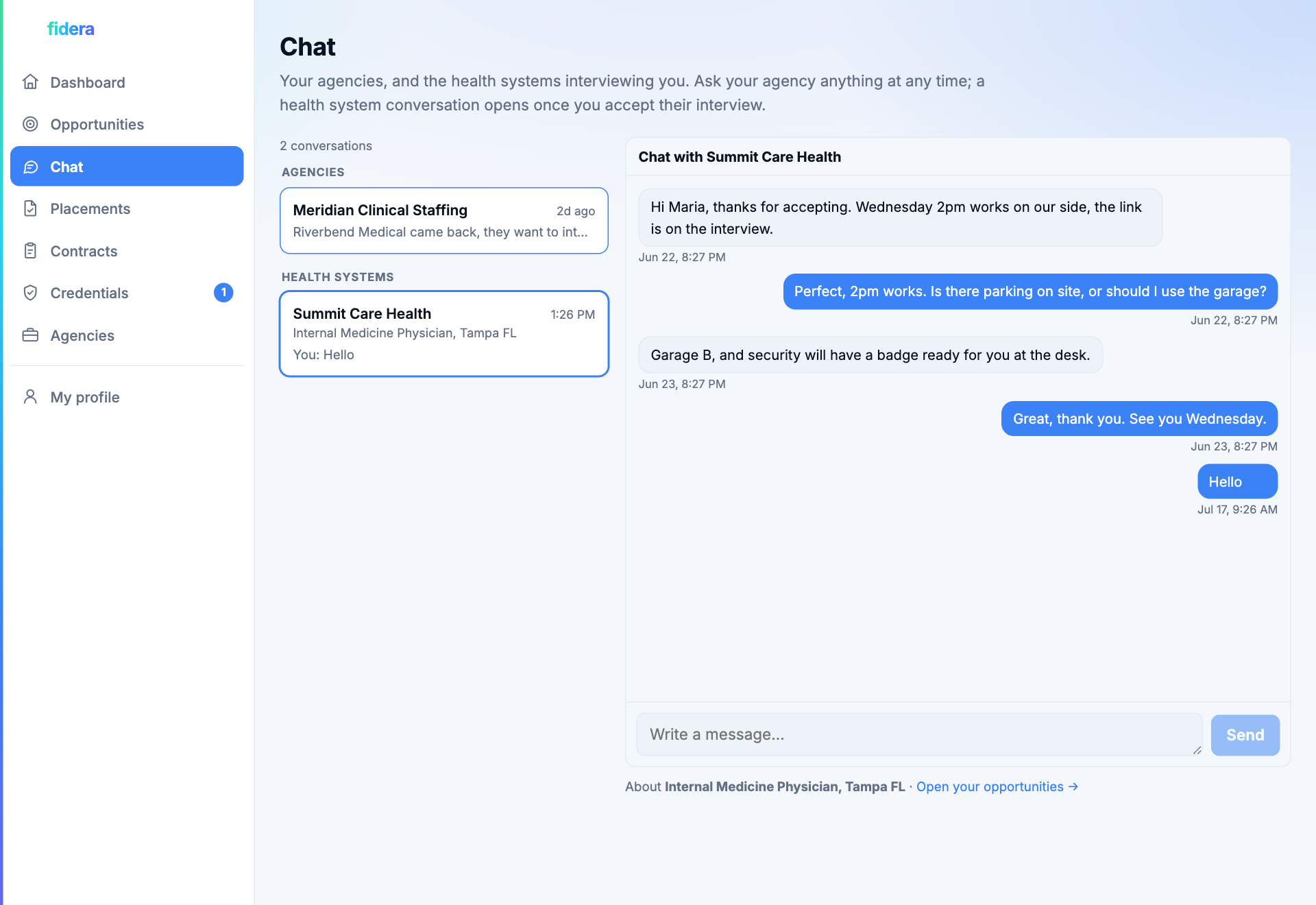
Chat splits your conversations in two: your agencies, and the health systems interviewing you. Your agency thread is open from the day they add you, so you never have to wonder where your CV went. A health system thread opens once you accept their interview, and the two are kept apart on purpose, so a quick reply never goes to the wrong side of the deal.
From a selected clinician to a signed, running engagement
Selection is the start, not the finish. The deal closes the way a staffing agency works: the agency sits in the middle with a contract on each side. Fidera carries the whole relationship through to signed contracts, the work itself, and the money.
Back-to-back contracts
The agency sends the health system its contract (the bill rate) to sign, then sends the clinician a separate contract (their pay rate). Each side signs in the app and can download its copy. The clinician never sees the bill rate.
The weekly hours relay
On a locum engagement the clinician submits hours each week to the agency, who reviews and forwards them to the health system to approve. Expenses follow the same path, with running approved totals for everyone.
Agency earnings
The agency earns the margin, the spread between the bill rate and the pay rate, on approved hours, or a one-time fee on a permanent placement. It builds automatically and is visible in their workspace.
Isolation enforced by the database, not just the app
A multi-tenant network only works if every side trusts that its data stays its own. That separation is enforced at the deepest layer, so even an app-level mistake cannot leak one tenant's rows to another.
Database-enforced isolation
Postgres row-level security is live on every table. One agency's portfolio, a health system's postings, a clinician's documents, the database itself refuses to return them to anyone else.
Real logins and roles
Per-user authentication with distinct roles for the operator, agencies, health systems, and clinicians. No shared passwords; each portal sees only its own seat.
A full audit trail
Sensitive actions, offers, signings, approvals, invites, and account changes, are recorded to an append-only audit log that only Fidera can read.
Private by design
No open clinician directory. Agency portfolios are private, postings reach only approved agencies, and credential documents live in a per-clinician vault.
Getting started
Every side follows the same loop from a different seat. Here is the short version for each.
As a health system
- Open your portal and post a role with its rate and number of openings.
- Approve the agencies who can see it, by invite or by approving a request.
- Review the submissions that come in, grouped and tagged by agency.
- Select a clinician to hire; the agency sends you a contract to sign in the app.
- Once the clinician signs theirs, the opening fills and the posting closes when all openings are filled.
- Approve the weekly hours and expenses the agency forwards from the clinician.
As an agency
- Sign in and import the clinicians you already work with, or open a requisition to source new ones.
- Bulk-upload a folder of resumes and let the app attach each one to the right clinician.
- Enrich profiles, confirm interest, and publish your strong clinicians to your portfolio.
- Get approved by a health system, by invite or by requesting to connect.
- Open one of its postings, review your AI-ranked portfolio, and submit a curated shortlist.
- When a clinician is selected, send the health system its contract, then send the clinician theirs.
- Review the clinician's weekly hours, forward them to the health system, and watch your earnings build.
As a clinician
- Claim your NPI-sourced profile with your NPI and set a password.
- Edit your headline and summary (auto-drafted from your CV) and upload your credentials.
- When you are hired, sign the contract your agency sends you (your pay rate and terms).
- Log your hours each week and submit expenses; your agency forwards them for approval.
Want to see it live?
We set up a demo account for you on request. Tell us which side you are, a health system, a staffing agency, or a clinician, and the right person on our team will get you in.
Contact us for a demoWhere it is headed
The full platform above is live and runs end to end, with database-enforced isolation already in place. The remaining work is the rails that turn it into a production business.
Payments
Settle the money end to end: the health system pays the agency, the agency pays the clinician for approved hours, through a real payments rail with the tax handling that comes with it.
Live outreach and credential storage
Send real campaign email with opt-out handling, and move credential documents into access-controlled, HIPAA-grade storage.
Integrations
Write placements and contacts back to the systems each side already runs on, from health-system ATS and HRIS to the agencies' own tools.